We've got a real treat for you today. We're diving into the world of cut files with the fabulous Anke Kramer and her latest video, "LET'S USE CUT FILES - ANKE KRAMER - MAY 2023 HIP KITS". 🎥

We've got a real treat for you today. We're diving into the world of cut files with the fabulous Anke Kramer and her latest video, "LET'S USE CUT FILES - ANKE KRAMER - MAY 2023 HIP KITS". 🎥
Hello, creative friends! In this video Miss Carrie shares a sweet father-daughter page filled with florals and wooden designs from the May Hip Kit collection. She demonstrate how to adjust a cut file to suit your design, while also providing tips on how to achieve a harmonious color balance in your projects through color ratios. 🌸🌼🌺
Hello Friends!
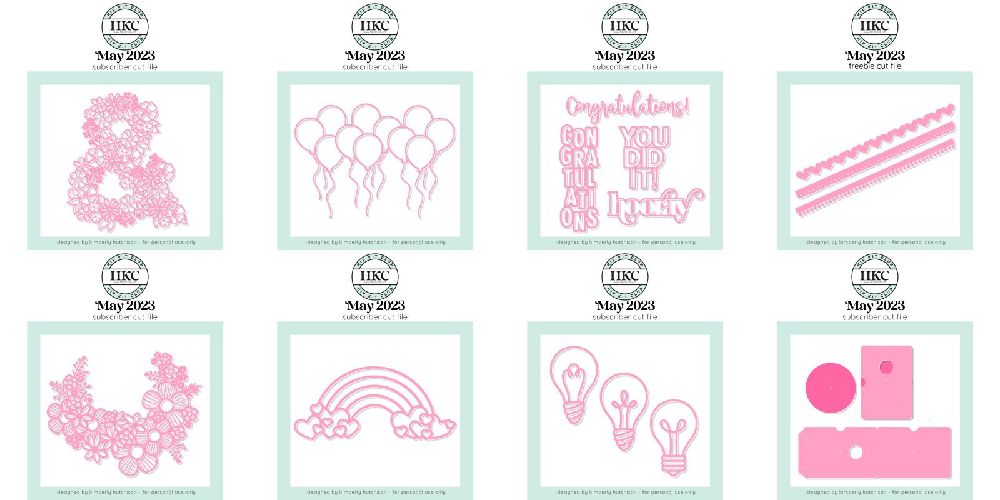
We are thrilled to announce the release of Hip Kit Club's exclusive cut files for May 2023. These unique designs are perfect for scrapbooking, card making, and paper crafting, and are compatible with popular cutting machines such as Cricut and Silhouette.
Here's a sneak peek at the cut files available this month:
Each of these designs has been carefully crafted by Kimberly Hutchison, ensuring you have the best quality cut files for your projects.
The best part? Some of the cut files are FREE to registered users. If you haven't registered yet, you can do so here. Once registered, you'll have access to these fantastic cut files and many more in the future.
For our Hip Kit Club Members, we have even more good news! As a member, you get full access to ALL of the cut files. Not a member yet? Don't worry, you can sign up for the Hip Kit Club here. As a member, you'll enjoy unlimited access to our extensive library of cut files, along with many other benefits.
So, what are you waiting for? Start your creative journey with Kimberly Hutchison's exclusive cut files for May 2023. We can't wait to see what you create!
Happy crafting!
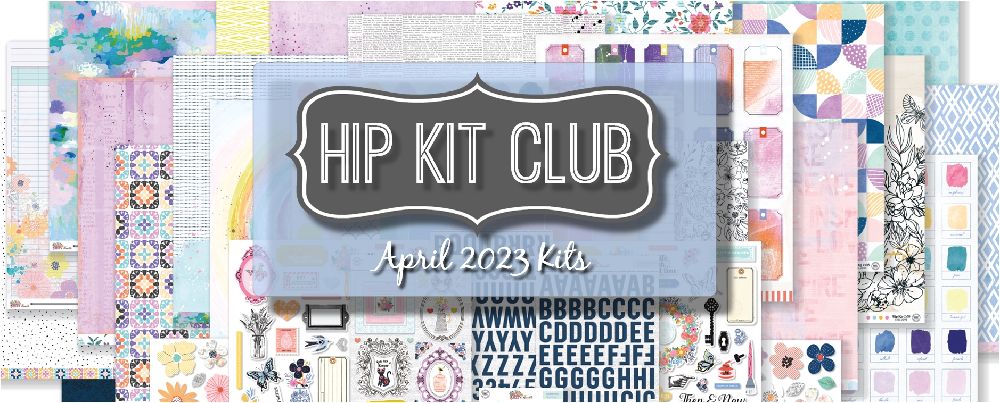
Hey there, crafty friends! 🎨 Today, we're diving into a delightful video by the talented Mary-Ann Maldonado, where she's creating a stunning layout using the April 2023 kits from Hip Kit Club. Buckle up, because we're about to get crafty!
In this video, Mary-Ann is using the main kit and the embellishment kit, along with a gorgeous cut file called "Wild Flowers". The layout features some adorable pictures of her mom, sister, and herself on Mother's Day. She's got the cut file bordering at the bottom of her layout, and she's colored the flowers in a variety of hues from her past kits. The only colors she had to bring in were yellow and black, all to honor her mom's favorite flower, the Black Eyed daisies. 🌼
Now, here's a fun fact: Mary-Ann's Silhouette sticky sheet was too new, making it a bit tricky to get the cut file off. So, a little tip from her to you: go for a less tacky mat if you can, it'll make your life a lot easier!
Moving on, she's tucked her flowers into the wildflower display at the bottom, added some foam tape for dimension, and framed the pictures with beautiful frames from the kit. She's also added embellishments that fit the theme of her layout and coordinated with the color options.
The title of the layout? A simple yellow label. Sometimes, less is more, right? She's also added a strip at the top of the layout for a little extra something, and used an old black marker to add some finishing touches.
And voila! A beautiful, personalized layout that's as unique as it is charming. But remember, go slow and enjoy the process. After all, crafting is all about having fun!
So, what are you waiting for? Grab your kits and get crafting! And don't forget to share your beautiful creations with us. Happy crafting! 🎉

 |
Looking for the best SVG cut files for your Cricut? Whether you own a Cricut Maker, Explore Air 2, or Joy, finding high-quality designs can transform your crafting projects from ordinary to extraordinary. In this guide, we'll share our top picks and show you where to find the best cut files for every type of project. Looking for free designs to start with? Browse our free cut files for Cricut at HKCMarket -- no purchase required.
Try them yourself, free
Every design mentioned here comes from the HKCMarket catalog. Free files unlock with a free account, and every download includes SVG, PNG, DXF and JPG.
Get free cut files for CricutNot all SVG files are created equal. The best cut files for Cricut machines share these qualities:
Borders, frames, and page titles designed specifically for 12x12 and 6x8 scrapbook pages. These are the workhorses of any cut file library -- you'll use them on nearly every layout. Our collection includes over 400 scrapbook-specific designs.
A2-sized card fronts, envelope liners, and decorative elements. The best card making cut files include score lines so your Cricut can fold and cut in one pass. Browse our card making ideas guide for inspiration.
Monthly titles, seasonal phrases, and sentiment cut files. Essential for scrapbookers who want professional-looking titles without hand lettering. Our library includes titles for every month, holiday, and milestone.
Decorative borders that add polish to any project. From simple geometric lines to intricate lace patterns, borders are one of the most versatile cut file categories.
Multi-layer designs that create stunning 3D effects on your pages. These work beautifully with the Cricut Maker's precision cutting. Learn more in our layered SVG guide.
Pro tip: SVG files maintain perfect quality at any size. Scale up or down without worrying about pixelation.
| Feature | Free Account | Unlimited ($49.95) |
|---|---|---|
| Number of files | Rotating selection | 1,000+ files |
| Future releases | Limited | All included forever |
| File formats | SVG, PNG, DXF, JPG | SVG, PNG, DXF, JPG |
| Cost per file | Free (limited) | ~$0.05 each |
| Subscription required? | No | No -- one-time payment |
Ready to access 1,000+ SVG cut files?
Get Unlimited Cut Files -- $49.95
One-time purchase. No subscription. Includes all future releases.
All of our SVG cut files work with:
All new cut files now release at HKCMarket -- the new home for cut-file releases. Designs for Cricut, Silhouette, and Brother.
Ready to start cutting? HKCMarket carries the full Hip Kit Club cut file catalog, with new designs added every month. Get free cut files for Cricut.
Your Cricut machine is the ultimate scrapbooking tool -- but many crafters only use it for basic shapes and titles. In this step-by-step guide, we'll show you how to use SVG cut files to create professional-quality scrapbook layouts that look like they came from a design studio.
Hand-cutting intricate designs is time-consuming and rarely precise. With a Cricut and the right cut files, you can:
Start with a sketch or layout template. Consider what elements you need: a title, photo frames, borders, and embellishments. Browse our complete cut file library for designs that match your theme.
Download the SVG files you need. Each file includes the cut lines that tell your Cricut exactly where to cut. Our files come in SVG (for Design Space), PNG (for print-then-cut), DXF (for Silhouette users), and JPG (for reference).
Open Cricut Design Space and upload your SVG files. They'll appear as cut images in your library. Place each element on your canvas and arrange them as you'd like them on your layout.
This is where precision matters:
Select the right material in Design Space:
Load your mat, press "Make It," and let your Cricut do the work. Once cut, use foam adhesive for layered elements to create dimension, and flat adhesive for backgrounds and borders.
Use 2-3 nested frame cut files in coordinating papers. Mount your photo in the center with foam dots between each layer for a shadow box effect.
Cut an intricate border design along one edge of your page. This creates a stunning focal point while leaving plenty of room for photos and journaling.
Use a large decorative title cut file as the centerpiece. Cut it from glitter cardstock and layer it over a contrasting background for maximum impact.
Cut file elements work perfectly in 6x8 pocket pages. Cut small embellishments, mini titles, and decorative elements sized to fit standard pocket page slots.
Combine cut file elements with stamps, washi tape, and hand-drawn details. The precision of Cricut cuts pairs beautifully with the organic feel of mixed media.
Get 1,000+ Scrapbook Cut Files for Your Cricut
One-time purchase. Works with Cricut, Silhouette & Brother.
All new cut files now release at HKCMarket -- the new home for cut-file releases. Designs for Cricut, Silhouette, and Brother.